Backend infrastructure is everything that makes your app work, what users never see: the servers that run your code, the database that stores your data, the authentication system that manages logins, the APIs that connect moving parts, and the deployment pipeline that keeps it all running reliably under real traffic. When someone signs up for your app, views their dashboard, or places an order, the backend infrastructure is doing the work. The user sees a screen. The infrastructure is what makes that screen true.
What "backend" means and why the front/back distinction matters
Every app has two sides.
The frontend is what users see and interact with: the buttons, forms, pages, and visual design. It runs in the user's browser or on their phone. When you tap a button, the frontend registers that tap.
The backend is what happens as a result of that tap. A request travels from the user's device to a server. The server runs code that figures out what the request means and what to do with it. That code might check whether the user is logged in, fetch data from a database, call another service, and then send a response back. The frontend receives that response and updates what the user sees.
This distinction matters because the two sides have different failure modes, different scaling characteristics, and different ownership implications. A frontend can be rebuilt relatively quickly. Backend infrastructure databases, auth systems, and deployment pipelines take longer to design correctly, and the decisions made early tend to follow you.
Most AI app builders generate both sides. The difference between them often lies in the backend: some generate polished frontends connected to minimal or mocked-up backend infrastructure; others generate the full stack. For a founder, understanding which one you have matters more than understanding how either side works in detail.
The five components of backend infrastructure every app needs
[DIAGRAM 1: vertical flow showing what happens when a user logs in — browser request → server → authentication check → database query → response returned → user sees their dashboard; each layer labelled with a one-line plain-language description of what it does]
Every production app needs five backend components. They work together on every user action, which is why a missing component doesn't create a gap; it breaks the chain.
A server is a computer, or a managed pool of computing resources, that runs your application's code. When a user's browser makes a request, the server receives it, processes it, and sends a response. You don't see a server the way you see a database entry; it's the runtime environment that makes everything else possible.
A database is where your app stores information persistently: user accounts, orders, content, preferences, and transaction records. Without a database, your app has no memory. Anything a user does disappears the moment their session ends or the server restarts.
An authentication system is the mechanism that verifies a user's identity and manages their access. It handles signups, logins, password resets, session tokens, and the checks that run on every protected request to confirm the person making it is who they say they are. Authentication is often the most underbuilt component in early-stage apps, and the most consequential to get wrong.
APIs, Application Programming Interfaces, the defined channels through which different parts of your app communicate with each other and with external services, are how the components connect. Your frontend communicates with your backend via an API. Your backend communicates with a payment processor or an email service via their APIs. APIs are the plumbing.
A deployment pipeline is the system that takes your code and gets it running on a server, reliably handling updates, rollbacks when something breaks, and environment configuration. Without one, getting new code into production is a manual, error-prone process. With one, it's a command or an automated trigger.
These five components aren't optional extras layered onto a working app. They're the conditions under which a real app can exist. A frontend without them is a prototype that works in a demo and breaks in production.
What each component does when a real user takes a real action
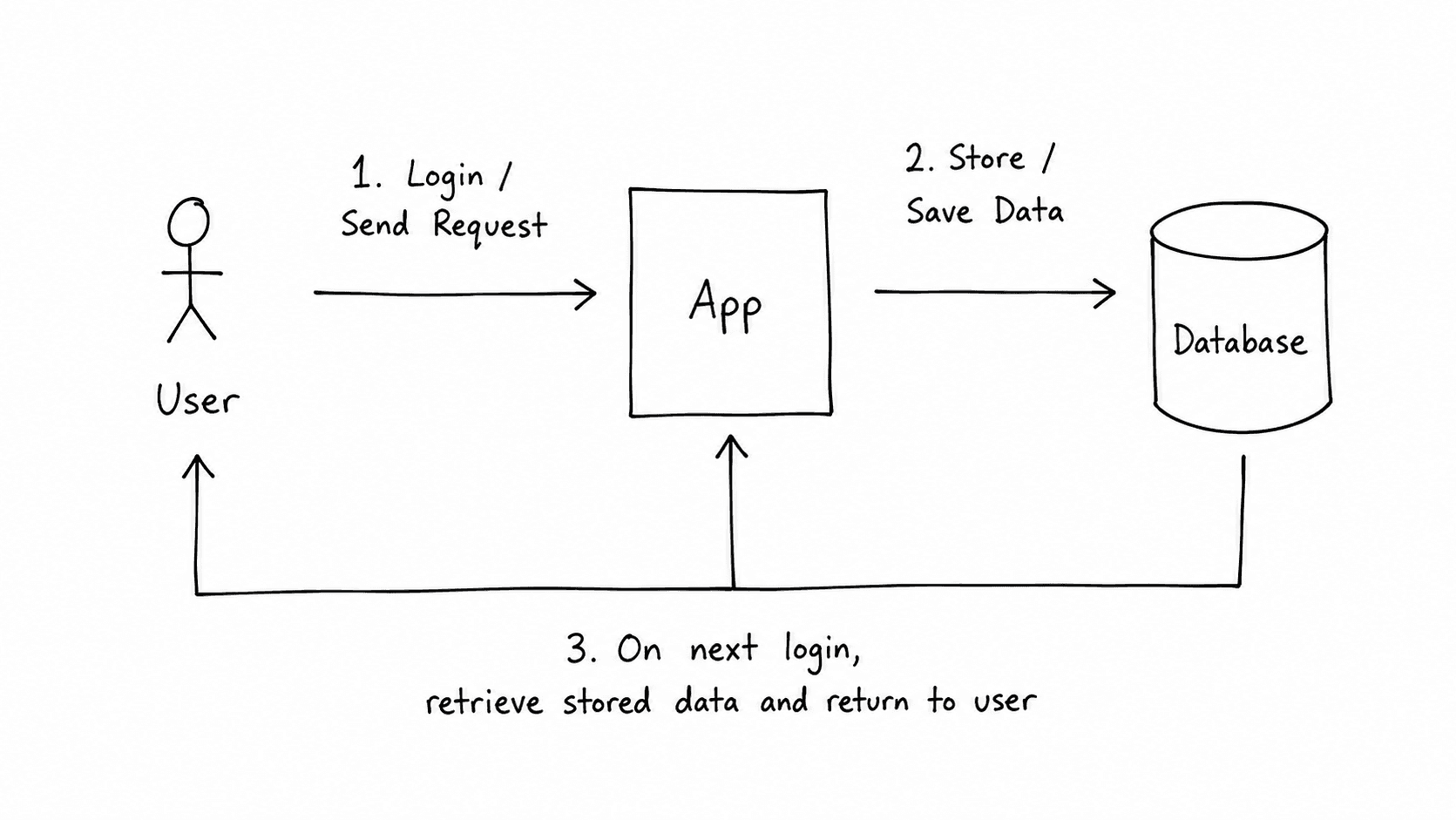
Abstract components are easier to understand when presented in a concrete sequence. Here's what happens when a user logs into your app.
The user enters their email and password, then presses the login button. The frontend packages this information into a request and sends it to your server. The server receives the request and hands it to your authentication system. The authentication system retrieves the user's record from the database, specifically, their stored hashed password, a one-way encrypted version of their original password, and compares it. If the comparison succeeds, the authentication system generates a session token, a short string that acts as a temporary credential the user's browser will include in subsequent requests. The server sends the token back to the frontend via your API. The frontend stores it and redirects the user to their dashboard. On the dashboard page, the frontend sends another request, this time including the token, and the server uses it to fetch that user's data from the database and return it.
That sequence involves all five components. Remove any one of them, and the login either fails entirely or has a security hole you'd rather not discover through an incident report.
I spent five years working on payment infrastructure where this chain ran millions of times a day. When it worked, nobody noticed. When it broke, which happened twice in my time there, both times documented in postmortems I still have in a folder that everyone noticed immediately.
What happens when backend infrastructure is missing or poorly set up
The failure modes are worth understanding before you encounter them.
The most common early failure is data loss from an unpersisted backend. An app built on a server that holds data in memory rather than in a proper database loses that data whenever the server restarts. Cloud servers restart regularly: on deployments, after crashes, during maintenance windows. A founder whose prototype seemed to work fine discovers this when a user reports their account is empty.
The second is authentication failures under real conditions. Weak auth systems, no rate limiting on login attempts, session tokens that never expire, and passwords stored without hashing work fine in development because developers don't attack their own systems. They fail in production because other people do. Every public endpoint gets probed. The question is whether there's anything to find.
The third is performance degradation under load. A backend with no indexes on its database queries, no connection pooling, and a single server instance with no horizontal scaling capacity works adequately for one developer testing their own app. It degrades visibly at a few hundred concurrent users and can fail completely at a few thousand, often in ways that are slow to diagnose without monitoring in place.
The AWS us-east-1 outage in December 2021 is a well-documented example of what cascading backend infrastructure failure looks like. A failure in one backend service caused dependent services to queue requests, exhausting their own resources and triggering further downstream failures. Amazon published the full postmortem. The specifics don't apply to an early-stage startup, but the shape of the failure does. One missing or overloaded component creates pressure on everything connected to it, and this behaviour holds at any scale.
Managed services vs native infrastructure: the two ways apps get their backend
When an AI app builder generates your backend, it's making an architectural choice you should understand.
The first approach uses managed third-party services, separate platforms your app connects to for individual backend components. Authentication might be handled by a service specialising in auth. The database might live on a managed database platform. Each component is a vendor relationship: often well-designed and fast to integrate, but external to your codebase. Your app depends on those services being available, affordable, and API-compatible with your code. If a vendor changes pricing, deprecates an API version, or shuts down, your app is affected.
The second approach generates backend infrastructure as native code inside your own codebase. The database schema, auth logic, API definitions, and deployment configuration all live in your repository alongside your application code. You own it outright. Moving to a different hosting environment means taking your repository with you. The infrastructure is code you control, not a service you subscribe to.
Mayson takes the second approach. When Mayson generates an app, the backend infrastructure — database, auth, APIs — is generated as part of the codebase you own, not as a set of connections to external services. The practical implication is that the app doesn't develop dependencies on third-party platforms that could change independently of your product decisions.
Neither approach is universally wrong. Managed services are mature, well-supported, and often faster to integrate. The trade-off is dependency. Native infrastructure requires more initial generation work, which is what an AI builder handles, but the ownership is cleaner. For a founder thinking about control over their product over time, the distinction matters.
What non-technical founders actually need to understand
There's a version of "you should understand your backend infrastructure" that turns into an excuse not to ship anything, and I want to be precise about what the bar actually is.
You don't need to know how to write a database migration, configure a deployment pipeline, or debug an authentication token expiry issue. These are engineering tasks and tools that engineers can handle.
What you need to understand covers three things. First, what data your app collects and where it lives. If you can't answer "where is my users' data stored and who controls access to it," you're carrying a risk you haven't priced. Second, what would happen if your backend service changed its terms? If your auth or database depends on a third-party platform, knowing whether migration is possible even if you'd never execute it yourself is basic due diligence. Third, what "production-ready" means for your specific app. An MVP with 50 beta users has different infrastructure requirements than a product handling financial transactions for 10,000 paying customers. Understanding that distinction helps you ask the right questions of whoever is setting things up, whether it's a tool or an engineer.
One honest scope marker: founders building in regulated industries, fintech, healthtech, edtech, handling child data will eventually need an engineer to review their infrastructure before handling sensitive data at scale. AI app builders automate the generation correctly for most use cases. They don't substitute for a compliance review when regulatory obligations apply. This isn't a reason to avoid starting with an AI builder; it's a horizon to plan for.
How to tell if your app's backend infrastructure is production-ready
These are the questions worth asking, regardless of how your backend was built.
Does your app have a real database with backups?
Not in-memory storage, a persistent database on a platform that takes regular backups and has a tested restore procedure.
Does your auth system rate-limit login attempts?
Try entering a wrong password ten times quickly and see what happens. A production auth system slows or blocks repeated failures. Many early-stage apps don't.
Can you see what your app is doing right now?
If there's no monitoring, no dashboard showing error rates, response times, and database performance, you'll find out about failures from users rather than from your own systems.
Can your infrastructure be scaled without a rewrite?
The answer to "what happens at ten times current load" should be "we resize the server and add database capacity," not "we rebuild the architecture."
Does your backend code live in a repository you own?
If the backend was generated as native code, you have a copy of it and can take it elsewhere. If it lives in a managed service platform you can't export, your options narrow as the product grows.
Frequently asked questions
What is the difference between frontend and backend in plain English?
Do I need to understand backend infrastructure to build an app with an AI tool?
What does "production-ready backend" actually mean?
What breaks first when an app's backend infrastructure isn't properly set up?
What is the difference between a server and a database?
Can I move my app to a different platform if my backend infrastructure is native code?
Navya has spent fifteen years building and breaking backend systems, mostly in payments and fintech. She now consults for engineering teams and writes about the technical concepts founders encounter when building real products. She is based in Bangalore.